By Muhammad Hamza, CTO·Sep 14, 2026
To understand how to build an AI voice agent for customer support, start with the business problem: which calls should be automated, what systems the agent must access, when it must hand off to a human, and how you will prove quality before launch. The best projects begin with call data, not model selection.
Voice AI is now realistic for many SMEs because low-latency speech models, telephony APIs and contact-centre platforms have matured quickly. OpenAI’s newer audio models, Google Cloud’s customer engagement tools and Twilio-style programmable voice stacks have pushed voice agents beyond simple IVR menus. A well-designed agent can greet callers naturally, identify intent, authenticate users, answer policy questions, create tickets, update CRM records and transfer complex cases with context.
That does not mean every support line should be automated. Phone conversations are emotional, time-sensitive and regulated in ways website chat often is not. A voice agent that sounds confident but misunderstands a refund request can damage trust faster than a slow chatbot. In our delivery experience, the highest-return implementations begin with narrow, measurable use cases such as order status, appointment booking, basic troubleshooting, billing FAQs or after-hours triage.
This guide is written for founders, support leaders, operations managers and CTOs deciding whether to commission a custom phone-ready voice agent. It covers use cases, integrations, conversation design, call handoff rules, compliance, testing and the documents to prepare before speaking with a development agency such as Clyrix Digital.
Sub-1 second
Target perceived response delay for natural voice turns in many production designs
20–40%
Typical automation target for narrow first-wave support call types
5–8 weeks
Common pilot timeline when integrations and data are ready
24/7
Coverage advantage for after-hours triage and routine requests
A voice agent makes commercial sense when phone demand is predictable, repetitive and expensive to handle manually. It is less about replacing agents and more about moving routine work away from queues. For example, a clinic might automate appointment confirmations, a SaaS company might triage login problems, and an e-commerce brand might handle order tracking and returns eligibility.
The strongest candidates have a clear start and finish. The caller asks for something, the agent verifies enough information, retrieves or updates data, then confirms the result. If the call depends on negotiation, empathy, judgement or policy exceptions, automation should be limited to triage and preparation for a human.
Look at your call logs before you look at vendors. If 30% of calls are “Where is my order?”, “Can I reschedule?” or “What is your cancellation policy?”, a custom AI voice agent may reduce wait times and support cost. If every call is unique and legally sensitive, invest first in better knowledge management, agent tooling or web self-service.
Good first use cases include:
Avoid starting with complaint resolution, regulated financial or medical advice, debt collection, high-value cancellations or conversations where a wrong answer could create material harm.
Use this table to choose a first release that is useful but controlled. A narrow pilot is easier to measure, test and defend internally than a broad “answer everything” agent.
| Use case | Complexity | Risk | Good first release? |
|---|---|---|---|
| Order status | Low | Low | Yes |
| Appointment booking | Medium | Low | Yes |
| Password reset triage | Medium | Medium | Often |
| Refund negotiation | High | Medium | Not first |
| Medical advice | High | High | No |
| Complaint handling | High | High | Human-led |
The right answer depends on your sector, policy clarity, integration quality and regulatory exposure.

Good requirements translate business operations into call behaviours. They should tell the development team what the agent may say, what it may do, which systems it may access, and when it must stop. Without this, a project becomes an expensive demo: impressive in a workshop, unreliable in production.
Start with call categories. Review 100 to 500 recent calls or tickets and group them by intent, resolution path, average handling time and escalation reason. This gives you a realistic automation backlog. In our delivery experience, even a simple spreadsheet of intents, sample phrases and required system actions saves days of discovery.
Then define the agent’s authority. Can it change an appointment, issue a refund, cancel a subscription, update an address or only create a ticket? Can it take payment, send a secure link or read account information aloud? These decisions affect authentication, compliance, API permissions and quality assurance.
Finally, specify non-functional requirements. Voice systems need targets for latency, uptime, supported accents, languages, fallback behaviour, transcript storage, analytics and monitoring. A caller will tolerate a slightly robotic voice if the task is completed quickly. They will not tolerate long pauses, repeated misunderstandings or being trapped in an automation loop.
Your requirements document should include:
A production voice agent is not just a large language model connected to a phone number. It is a real-time system that listens, interprets, decides, speaks and records events while staying connected to business software. The architecture must be designed for speed and reliability because voice has less tolerance for delay than chat.
A typical stack includes telephony infrastructure to receive calls, speech-to-text to transcribe the caller, an orchestration layer to manage state and business rules, a language model for understanding and response generation, retrieval from approved knowledge sources, APIs for actions, text-to-speech for the reply, and monitoring for quality and safety.
The orchestration layer is especially important. It controls authentication, tool access, conversation memory, escalation rules and guardrails. This is where you prevent the agent from inventing policies, calling the wrong API, or continuing when a human should take over. For many SMEs, this layer is the difference between a novelty and a dependable customer support automation system.
Core components usually include:
If your team is already using a modern contact centre platform, the build may extend that stack rather than replace it. If your phone setup is basic, telephony design becomes part of the project.
Most commercial value comes from connecting the agent to existing systems. The integration plan should define both read access and write permissions.
| System | Typical action | Data needed | Risk level |
|---|---|---|---|
| CRM | Find customer | Phone, email | Medium |
| Helpdesk | Create ticket | Issue, priority | Low |
| E-commerce | Check order | Order ID | Medium |
| Booking tool | Reschedule slot | Customer, time | Medium |
| Billing platform | Explain invoice | Plan, status | High |
| Knowledge base | Answer policy | Approved article | Low |
High-risk integrations are not impossible, but they need stronger authentication, audit logs and human escalation.
Integrations decide whether the agent can solve the call or only talk about solving it. If the agent cannot see order status, subscription details or appointment availability, it will become another layer between the customer and the answer. Plan integrations early, including API limits, authentication methods, sandbox access and field mapping.
For CRM systems, decide how the agent identifies a caller. Phone number matching is convenient but not always reliable, especially for shared numbers or withheld caller ID. You may need email verification, postcode, date of birth, one-time passcodes or a secure link depending on the sensitivity of the data.
For helpdesk platforms, focus on structured ticket creation. A useful AI-generated ticket should include caller intent, summary, sentiment or urgency, account ID, actions already attempted and the exact transfer reason. This prevents human agents from asking the caller to repeat everything.
Telephony integration needs equal attention. You must define business hours, queue routing, call recording notices, failover numbers, voicemail fallback and warm transfer behaviour. A warm transfer should pass transcript and context to the human team, not just forward the call.
Questions to answer before development starts:
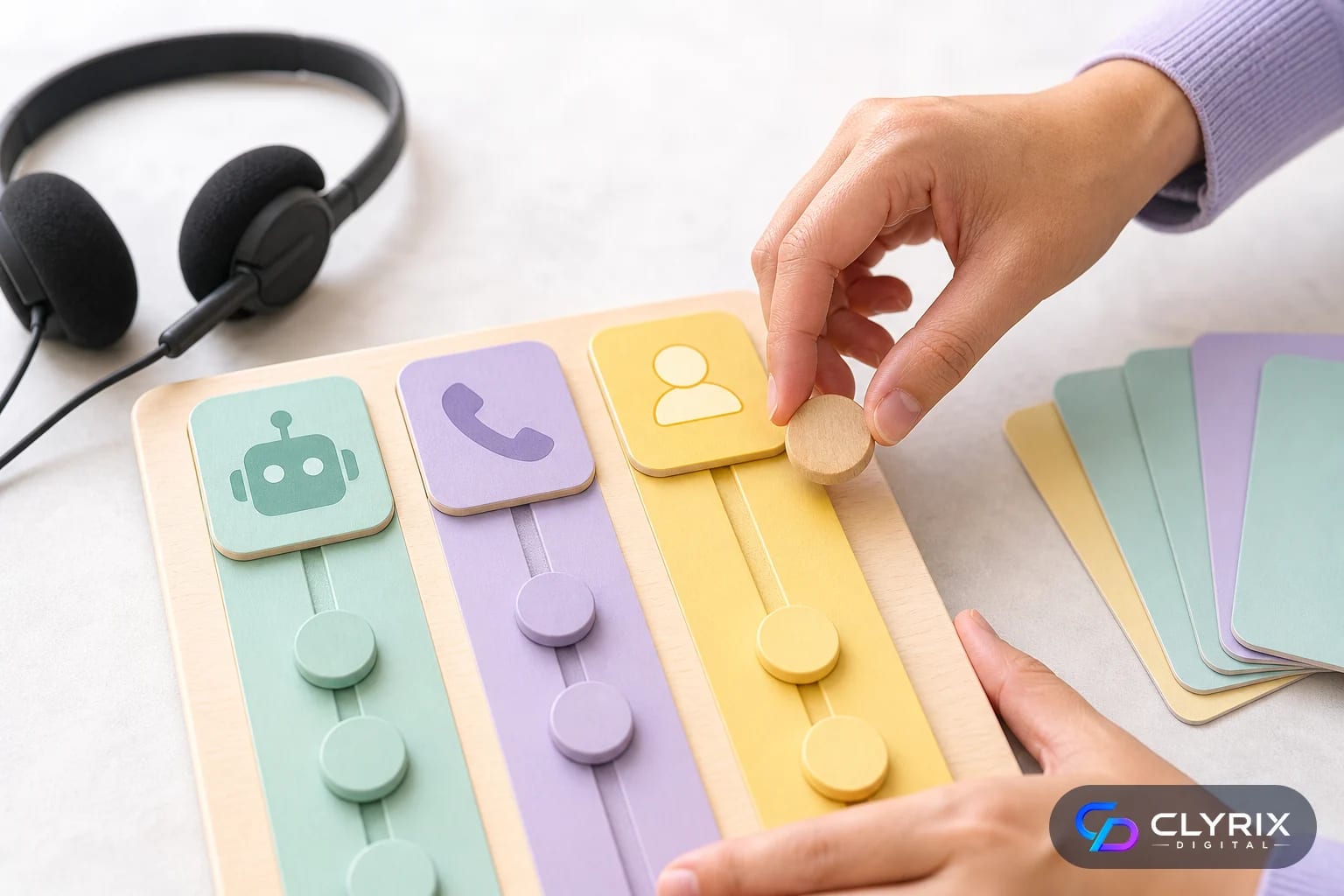
Human handoff is not a failure. It is a core part of responsible AI customer service. The best voice agents know when to stop, summarise and transfer. The worst ones keep trying because nobody defined the boundary.
Escalation rules should combine explicit triggers and confidence-based triggers. Explicit triggers include complaints, cancellation threats, legal language, payment disputes, safeguarding concerns, abusive calls and requests for a human. Confidence triggers include repeated misunderstanding, low transcription confidence, API errors, missing data or a caller correcting the agent multiple times.
Design the transfer experience carefully. The agent should tell the caller why it is transferring, what information will be passed on and whether there may be a wait. If no human is available, the fallback should be clear: create a priority ticket, request a call-back or route to voicemail. Never let a caller loop endlessly between the AI agent and a queue.
Practical handoff rules include:
For regulated or sensitive sectors, document these rules and test them like security controls. They protect customers, staff and the business.
Voice support involves personal data, call recordings and sometimes sensitive information. Compliance cannot be added at the end. It affects your greeting, consent wording, data retention, vendor contracts, hosting region, access controls and audit process.
At minimum, callers should understand they are speaking with an AI system where legally or ethically appropriate. They should also know if the call is recorded and why. Requirements differ across jurisdictions, and businesses serving customers in the US, UK, EU or UAE may need different consent flows. GDPR and UK GDPR principles around purpose limitation, data minimisation and retention are especially relevant for transcripts and recordings.
AI safety also matters. The agent should answer from approved sources, avoid unsupported claims, and refuse restricted requests. If it handles personal data, use least-privilege access and redact sensitive information where possible. If it creates summaries, those summaries should be auditable against transcripts.
Do not automate calls that require professional judgement unless your legal, compliance and operational teams have approved the workflow. A support automation project should reduce operational risk, not create a new unmonitored advice channel.
Compliance items to plan:
A controlled build process reduces rework. You are not simply launching a bot; you are changing a customer-facing support channel. The process should move from evidence to prototype, then pilot, then measured rollout.
The timeline depends on scope and integrations. A narrow pilot with one or two use cases and ready APIs can often be built in several weeks. A multilingual, regulated, deeply integrated agent may take several months. The largest delays usually come from unclear policies, missing API access, poor call data and late compliance review.
Quantify call volume, average handling time, wait times, staffing pressure and customer pain. Choose one or two use cases where automation has a measurable outcome, such as fewer status calls or better after-hours coverage.
Document greetings, identity checks, permitted answers, restricted topics, escalation triggers and closing statements. Use real call transcripts rather than idealised scripts so the agent can handle interruptions and messy phrasing.
Confirm which systems the agent must read or update. Prepare sandbox credentials, API documentation, field mappings and test accounts. Decide how errors should be handled when an integration is unavailable.
Develop the voice workflow, connect tools, configure knowledge retrieval and test using realistic scenarios. Evaluate latency, accuracy, containment, transfer quality and transcript usefulness before exposing the agent to live callers.
Start with limited traffic, business hours supervision or a dedicated number. Review call summaries daily at first. Improve prompts, policies, integrations and handoff rules based on evidence rather than assumptions.
Preparing these materials helps an agency estimate accurately and recommend a realistic scope. It also prevents a proposal from being based on assumptions.
| Item | Why it matters | Ready status |
|---|---|---|
| Call intent list | Sets scope | Required |
| Sample transcripts | Improves design | Required |
| Knowledge sources | Controls answers | Required |
| API documentation | Enables actions | Required |
| Escalation policy | Reduces risk | Required |
| Compliance notes | Avoids rework | Recommended |
| Success metrics | Guides pilot | Required |
If these items are incomplete, an experienced partner such as Clyrix Digital will usually recommend a discovery phase before fixed-scope development.
Voice AI testing should be stricter than chatbot testing because callers cannot skim, edit or compare responses easily. They rely on timing, tone and clarity. A launch decision should be based on call outcomes, not a handful of polished demos.
Test with realistic noise, accents, interruptions, partial information, frustrated callers and system failures. Include scenarios where the correct outcome is transfer, refusal or ticket creation. If you only test happy paths, the agent will appear better than it is.
Measure containment carefully. A high containment rate is not good if customers are trapped or incorrectly served. Pair it with task completion, customer satisfaction, escalation accuracy and post-call review. During early pilots, review a meaningful sample of transcripts manually each week.
Useful readiness metrics include:
Do not launch broadly until failure patterns are understood. A limited pilot with fast iteration is safer than a big-bang rollout.
The cost of an AI voice agent depends less on the voice model and more on scope, integrations, compliance and reliability. A simple FAQ-style call triage agent is very different from an authenticated account service agent that updates billing, booking and CRM records.
Buying a platform can be sensible when your needs match standard contact-centre workflows. Custom development is more appropriate when you need proprietary business logic, unusual integrations, strict data controls, bespoke reporting or a differentiated support experience. Many SMEs end up with a hybrid: platform telephony plus custom orchestration and integrations.
Budget should include discovery, design, development, testing, model and telephony usage, monitoring and ongoing improvement. Voice agents are living systems. Policies change, products change, customer language changes and new failure modes appear after launch.
When speaking with an AI development agency, ask how they handle latency, fallback, evaluation, call transfer, transcript review, data retention and API failure. A credible team will discuss constraints and when not to automate, not just promise full replacement of your support line.
Major cost drivers include:
The best answer to how to build an AI voice agent for customer support is not “choose the newest model.” It is to define the calls worth automating, connect the right systems, set safe authority limits, design human handoff properly and test with real customer behaviour.
If your support team is ready to move beyond chatbots, prepare your call data, policies, integration details and success metrics first. Then speak with a specialist AI development partner to shape a pilot that is narrow enough to control and valuable enough to justify scaling.
A focused pilot usually takes about 5 to 8 weeks if call flows, knowledge sources and API access are ready. More complex projects can take several months, especially when they involve authentication, multiple languages, regulated data or several back-office integrations. Discovery and testing should not be skipped because voice failures are highly visible to customers.
Most support voice agents need telephony, CRM, helpdesk and knowledge base integrations. Depending on the business, they may also connect to e-commerce platforms, booking tools, billing systems, logistics providers or internal databases. Start with the systems required to complete the first use case rather than integrating everything at once.
In most commercial settings, clear disclosure is the safer and more trustworthy approach, and some jurisdictions or use cases may require it. The opening message should be brief and practical, explaining that the caller is speaking with an AI assistant and can be transferred to a human when needed. Also handle call recording consent separately.
It can detect complaint signals, capture details and route the call, but it should not be the primary resolver for serious complaints unless the workflow is tightly controlled. For early launches, escalate angry customers, legal threats, cancellation disputes and vulnerable customer situations to trained staff with a transcript and summary.
Track task completion, correct escalation, average latency, repeat contact rate, customer satisfaction, API success rate and human agent feedback on transferred summaries. Containment rate alone is not enough because it can hide poor outcomes. Review transcripts and failed calls weekly during the pilot to improve prompts, flows and integrations.
Buy when your requirements match standard contact-centre features and you need speed. Build custom when you need proprietary workflows, unusual integrations, strict data handling, bespoke analytics or close control over customer experience. Many SMEs use a hybrid approach: established telephony infrastructure with custom AI orchestration and business system integrations.


Sep 22, 2026
Facial recognition privacy rules in 2026 explained: BIPA, CCPA, EU AI Act, consent, retention, safer alternatives and a practical implementation checklist.
By Muhammad Hamza · CTO

Your trusted partner in innovative web solutions, delivering tailored development, design, and marketing services to elevate your digital presence and business growth.
info@clyrixdigital.com
© 2026 Clyrix Digital. All rights reserved.